How to Delete Team Members
Validated on 29 Jun 2023 - Last edited on 29 Jun 2023
Use Teams & Contacts to securely collaborate with unlimited users, two-factor authentication, and all your projects on a single invoice.
This guide covers removing a member from Teams & Contacts. It does not describe closing an entire team or deleting its resources.
To delete team members, go to Teams & Contacts page from the Control Panel.
The team page lists the teams current membership:
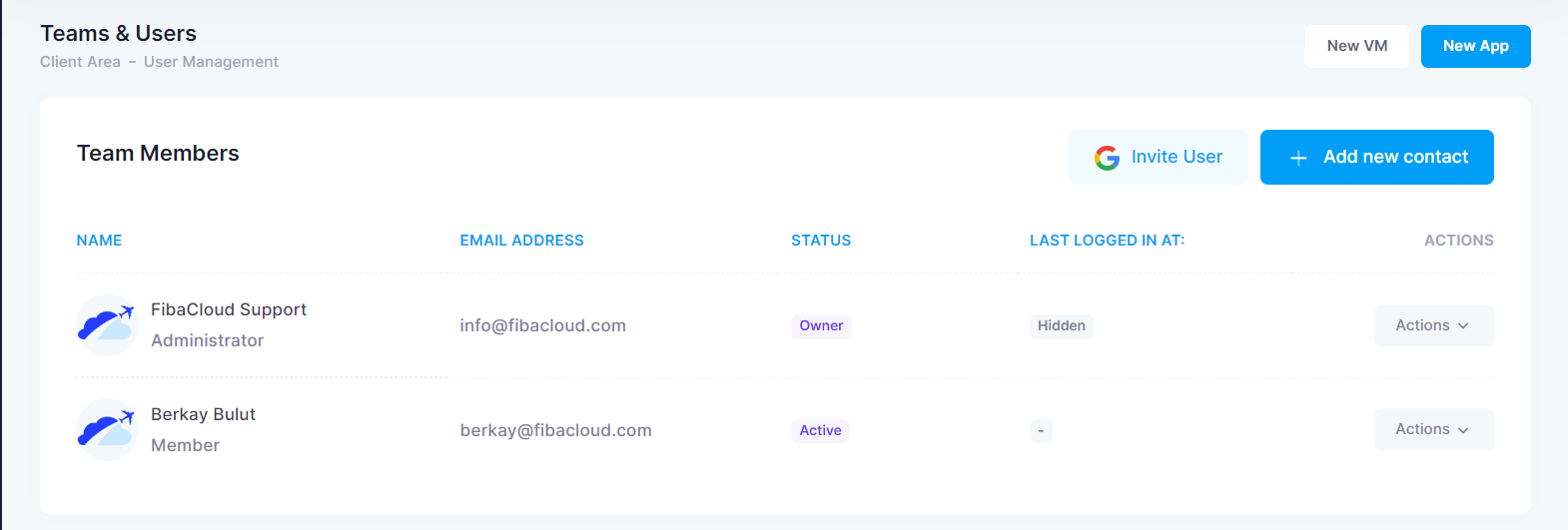
The table includes the full name, e-mail address, member status and last login date of all team members.
Delete Team Members
Press the Actions button next to the team member you want to delete.

After confirming the browser warning, the team member will be deleted.
If the removed member was selected as Billing Contact, review the billing contact selection on the Teams & Contacts page and choose the contact that should receive billing information.