Billing
Open Billing → Overview in the control panel. Use Invoices & Statements for invoice status and Credit Logs to trace changes to prepaid funds.
Payments
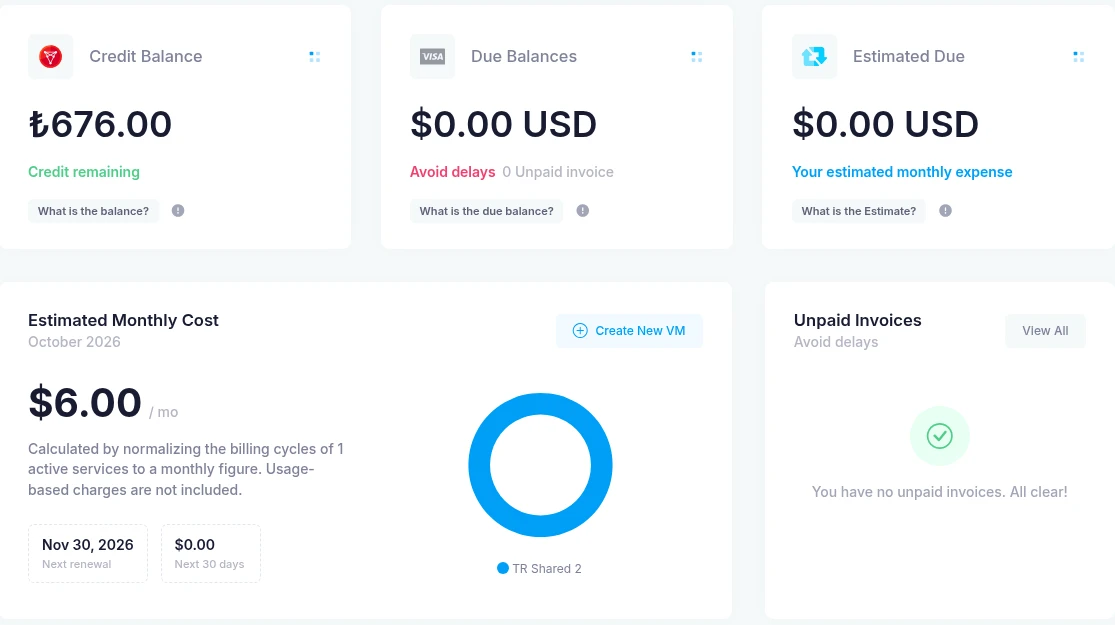
Credit Balance is the available prepaid credit in your account currency. Due Balances shows outstanding invoice amounts. Always check the currency label before comparing the two.
Use Pre-Paid Funds or Add Funds to view the current deposit form and its limits. Read the amount, currency and available payment methods before continuing. In My Account → Settings → Automation Settings, Auto-apply credit controls whether available credit is applied to new orders and recurring invoices.
The invoice guide explains a completed order paid with account credit. Available external payment options are shown by the panel for your transaction; seeing an option does not mean a payment has completed.
Charges
Estimated Monthly Cost normalizes active services' billing cycles to a monthly figure. The panel states that usage-based charges are excluded. Read the order or invoice for tax and the final amount due; the monthly estimate is not an invoice total.
Active Services & Costs lists service prices and expiry dates; Upcoming Renewals shows renewal dates. Check billing alerts for the separate Pay-as-you-go renewal threshold setting.
For tax, invoice or payment questions, contact billing support with the invoice reference. Do not include card details or account passwords in a ticket.